
the emulator I have programmed is able to boot a large number of Cisco IOS releases available for the 7200 platform, including the latest 12.2S and 12.4.
The following devices a
re emulated in the current release:
MIPS64 CPU processor. The instruction set is not completely emulated now (FPU support is lacking, TLB support is not finished and other minor things), but it is sufficient for IOS ;
DRAM and Packet SRAM memory ;
Non-Volatile Memory (NVRAM) ;
Signetics SCN 2681 DUART (Console and AUX ports);
Dallas DS1620 Temperature Sensors and Voltage Sensors, allowing the Environmental Monitor to work properly ;
NMC93C46 Serial EEPROM ;
Bootflash of 8 Mb (Intel 28F016SA) ;
I/O and Midplane FPGA specific to the C7200 platform ;
Basic Galileo GT64010/GT64120 PCI controller, DEC 21x50 PCI bridges and so.
Ethernet cards "C7200-IO-FE" and "PA-FE-TX" based on DEC21140 chip ;
ATM card "PA-A1" based on Texas Instruments Tneta1570 chip ;
Files : FTP DIR </upload/upload by wjunjmt/IOSS/>
IOS verison : 52network.com.bin
IOS (tm) 7200 Software (C7200-JS-M), Version 12.2(11)T, RELEASE SOFTWARE (fc1)
IBM T43, windows xp.
CMD: dynamips -t npe-400 -p 0:C7200-IO-FE:udp:1000
0:127.0.0.1:10001 -p 1A-A1:udp:10002:127.0.0.1:10003 52network.com.bin
Cisco 7200 Simulation Platform (version 0.2.3a-x86)
Copyright (c) 2005,2006 Christophe Fillot.
IOS image file: 52network.com.bin
C7200: Warning, no MAC address set.
CPU0 Device list:
ram : 0x000000000000 (0x10000000)
rom : 0x00001fc00000 (0x00400000)
remote_ctrl : 0x000011000000 (0x00001000)
bootflash : 0x00001a000000 (0x00800000)
nvram : 0x00001e000000 (0x00020000)
zero : 0x00001f000000 (0x00c00000)
mp_fpga : 0x00001e800000 (0x00040000)
io_fpga : 0x00001e840000 (0x00001000)
pci_io : 0x000100000000 (0x00200000)
gt64120 : 0x000014000000 (0x00001000)
C7200-IO-FE(0) : 0x000048000000 (0x00800000)
PA-A1(1) : 0x000048800000 (0x00800000)
PCI Bus "MB0/MB1" Device list:
clpd6729 : ID 1013:1100, Bus 2, Dev. 16, Func. 0
PA-A1(1) : ID 10b5:906e, Bus 5, Dev. 1, Func. 0, IRQ: 2
PA-A1(1) : ID 104c:a001, Bus 5, Dev. 0, Func. 0, IRQ: 2
C7200-IO-FE(0) : ID 1011:0009, Bus 1, Dev. 0, Func. 0, IRQ: 2
dec21150 : ID 1011:0023, Bus 0, Dev. 9, Func. 0
dec21150 : ID 1011:0023, Bus 0, Dev. 8, Func. 0
dec21150 : ID 1011:0023, Bus 0, Dev. 7, Func. 0
dec21050 : ID 1011:0001, Bus 0, Dev. 1, Func. 0
gt64120 : ID 11ab:4620, Bus 0, Dev. 0, Func. 0
PCI Bus "MB2" Device list:
dec21150 : ID 1011:0023, Bus 0, Dev. 9, Func. 0
dec21150 : ID 1011:0023, Bus 0, Dev. 8, Func. 0
dec21150 : ID 1011:0023, Bus 0, Dev. 7, Func. 0
Loading ELF file '52network.com.bin'...
* Adding section at virtual address 0x80008000
ELF entry point: 0x80008000
Starting simulation (CPU0 PC=0xffffffffbfc00000), JIT is enabled.
Cisco 7200 (Predator) ROMMON emulation microcode.
Launching IOS image at 0x80008000...
Self decompressing the image : #################################################
################################################################################
##################################################### [OK]
Restricted Rights Legend
Use, duplication, or disclosure by the Government is
subject to restrictions as set forth in subparagraph
(c) of the Commercial Computer Software - Restricted
Rights clause at FAR sec. 52.227-19 and subparagraph
(c) (1) (ii) of the Rights in Technical Data and Computer
Software clause at DFARS sec. 252.227-7013.
cisco Systems, Inc.
170 West Tasman Drive
San Jose, California 95134-1706
Cisco Internetwork Operating System Software
IOS (tm) 7200 Software (C7200-JS-M), Version 12.2(11)T, RELEASE SOFTWARE (fc1)
TAC Support: http://www.cisco.com/tac
Copyright (c) 1986-2002 by cisco Systems, Inc.
Compiled Tue 30-Jul-02 21:31 by ccai
Image text-base: 0x60008940, data-base: 0x61C24000
cisco 7206VXR (NPE400) processor (revision A) with 245760K/16384K bytes of memor
y.
Processor board ID 4294967295
R4600 CPU at 100Mhz, Implementation 32, Rev 1.2
6 slot VXR midplane, Version 2.1
Last reset from power-on
Bridging software.
X.25 software, Version 3.0.0.
SuperLAT software (copyright 1990 by Meridian Technology Corp).
TN3270 Emulation software.
1 FastEthernet/IEEE 802.3 interface(s)
1 ATM network interface(s)
125K bytes of non-volatile configuration memory.
8192K bytes of Flash internal SIMM (Sector size 256K).
--- System Configuration Dialog ---
Would you like to enter the initial configuration dialog? [yes/no]: no
Press RETURN to get started!
*Jan 27 12:09:12.999: %LINK-3-UPDOWN: Interface FastEthernet0/0, changed state t
o up
*Jan 27 12:09:12.999: %LINK-3-UPDOWN: Interface ATM1/0, changed state to up
*Jan 27 12:09:13.999: %LINEPROTO-5-UPDOWN: Line protocol on Interface FastEthern
et0/0, changed state to up
*Jan 27 12:09:13.999: %LINEPROTO-5-UPDOWN: Line protocol on Interface ATM1/0, ch
anged state to up
*Jan 27 12:09:33.975: %LINK-5-CHANGED: Interface FastEthernet0/0, changed state
to administratively down
*Jan 27 12:09:33.979: %LINK-5-CHANGED: Interface ATM1/0, changed state to admini
stratively down
*Jan 27 12:09:34.975: %LINEPROTO-5-UPDOWN: Line protocol on Interface FastEthern
et0/0, changed state to down
*Jan 27 12:09:34.979: %LINEPROTO-5-UPDOWN: Line protocol on Interface ATM1/0, ch
anged state to down
*Jan 27 12:09:47.339: %SYS-5-RESTART: System restarted --
Cisco Internetwork Operating System Software
IOS (tm) 7200 Software (C7200-JS-M), Version 12.2(11)T, RELEASE SOFTWARE (fc1)
TAC Support: http://www.cisco.com/tac
Copyright (c) 1986-2002 by cisco Systems, Inc.
Compiled Tue 30-Jul-02 21:31 by ccai
*Jan 27 12:09:47.351: %SNMP-5-COLDSTART: SNMP agent on host Router is undergoing
a cold start
Router>en
Routersh diag
Slot 0:
Fast-ethernet on C7200 I/O card with MII or RJ45 Port adapter, 1 port
Port adapter is analyzed
Port adapter insertion time 00:02:05 ago
EEPROM contents at hardware discovery:
Hardware revision 1.2 Board revision A0
Serial number 4294967295 Part number 73-2956-02
FRU Part Number: C7200-IO-FE-MII/RJ45=
Test history 0x0 RMA number 00-00-00
EEPROM format version 1
EEPROM contents (hex):
0x20: 01 83 01 02 FF FF FF FF 49 0B 8C 02 00 00 00 00
0x30: 50 00 00 00 98 12 28 00 00 FF FF FF FF FF FF FF
Slot 1:
ATM OC3 (MM) Port adapter, 1 port
Port adapter is analyzed
Port adapter insertion time 00:02:05 ago
EEPROM contents at hardware discovery:
Hardware revision 1.15 Board revision A0
Serial number 4294967295 Part number 73-1582-07
FRU Part Number: PA-A1-OC3MM=
--
Test history 0x0 RMA number 00-00-00
EEPROM format version 1
EEPROM contents (hex):
0x20: 01 17 01 0F FF FF FF FF 49 06 2E 07 00 00 00 00
0x30: 50 00 00 00 00 10 24 00 FF FF FF FF FF FF FF FF
Router#sh ip int bri
Interface IP-Address OK? Method Status Prot
ocol
FastEthernet0/0 unassigned YES unset administratively down down
ATM1/0 unassigned YES unset administratively down down
Router#sh controll
Interface FastEthernet0/0
Hardware is DEC21140
dec21140_ds=0x630CA7D0, registers=0x3C0C0000, ib=0xF166A20
rx ring entries=128, tx ring entries=256, af setup failed=0
rxring=0x7F166B20, rxr shadow=0x630CA9DC, rx_head=0, rx_tail=0
txring=0x7F167360, txr shadow=0x630CAC08, tx_head=2, tx_tail=17, tx_count=15
PHY link up
CSR0=0x29082, CSR3=0xF166B20, CSR4=0xF167360, CSR5=0x41
CSR6=0x0, CSR7=0x0, CSR8=0x0, CSR9=0x54000
CSR11=0x0, CSR12=0x98, CSR15=0x0
TX state: stopped
RX state: stopped - RESET or STOP RECEIVE command
Far End Fault Indication (For FX Interface): OFF
DEC21140 PCI registers:
bus_no=0, device_no=6
CFID=0x00091011, CFCS=0x00000000, CFRV=0x02000011, CFLT=0x00000000
CBIO=0x00000000, CBMA=0x480C0000, CFIT=0x00000000, CFDA=0x00000000
MII registers:
Register 0x00: 0400 0004 0000 0000 0000 0000 0000 0000
Register 0x08: 0000 0000 0000 0000 0000 0000 0000 0000
Register 0x10: 0000 0000 0000 0000 0000 0000 0000 0000
Register 0x18: 0000 0000 0000 0000 0000 0000 0000 0000
throttled=0, enabled=0, disabled=0
rx_fifo_overflow=0, rx_no_enp=0, rx_state=0
tx_underrun_err=0, tx_jabber_timeout=0, tx_carrier_loss=0
tx_no_carrier=0, tx_late_collision=0, tx_excess_coll=0
tx_collision_cnt=0, tx_deferred=0, fatal_tx_err=0, tbl_overflow=0
tx_limited=0(256)
HW addr filter: 0xF17B3E0, ISL Disabled
Entry= 0: Addr=0100.0CCC.CCCC
Entry= 1: Addr=FFFF.FFFF.FFFF
Entry= 2: Addr=FFFF.FFFF.FFFF
Entry= 3: Addr=FFFF.FFFF.FFFF
Entry= 4: Addr=FFFF.FFFF.FFFF
Entry= 5: Addr=FFFF.FFFF.FFFF
Entry= 6: Addr=FFFF.FFFF.FFFF
Entry= 7: Addr=FFFF.FFFF.FFFF
Entry= 8: Addr=FFFF.FFFF.FFFF
Entry= 9: Addr=FFFF.FFFF.FFFF
Entry=10: Addr=FFFF.FFFF.FFFF
Entry=11: Addr=FFFF.FFFF.FFFF
Entry=12: Addr=FFFF.FFFF.FFFF
Entry=13: Addr=FFFF.FFFF.FFFF
Entry=14: Addr=FFFF.FFFF.FFFF
Entry=15: Addr=000E.E865.0C00
Interface ATM1/0 is administratively down
Hardware is TI1570 ATM
slot 1, unit 0, subunit 0, fci_type 0x00000017, max_pak_size 4516
particle size 512, pool size 400, cache size 400, cache end 400
Fallback pool cache size 0, cache end 0
rx free buf ring size 512, init buffers 400, current buffers 0
rx max spin 128
tx seg rings size 256, tx max spin 128, tx scheduler table size 48
enabled 0, disabled 0, throttled 0
vc_per_vp 1024, max_vp 6, max_vc 6144, total_vc 0
rx cells 0
hec error 0, aal5 discard 0, unknown prot 0, unknown reg 0x00000000
pkt overflow 0, crc error 0, no buf 0, rx freeze 0
timeout 0, abort 0, congestion_cell 0, rx dma error 0
tx cells 0, tx count 0, tx limited FALSE
abort 0, no desc 0, align 0, discard 0, tx freeze 0
tx dma error 0
PCI detect parity error 0, system error 0
master abort error 0, receive target abort error 0
signaled target abort error 0, data parity error 0
Device values:
TI1570 device number 0, base addr 0x3C800000, pci base off 0x48800000
PLX9060ES device number 1, base addr 0x3C900000, pci base off 0x48920000
rx vpi table 0x3C804000, rx dma table 0x3C810000, rx fbrp table 0x3C803800
tx sched table 0x3C800000, tx dma table 0x3C808020, tx sched interv 48
rcmplr 0xF1A8000, rcmplr ptr 0xF1A8000, rfbr 0xF1B8000, rfbr ptr 0xF1B864
0
tcmplr 0xF1B0000, tcmplr ptr 0xF1B0000
PLIM type ID 00A0, state 1, line rate 155520 kbps, rx fifo ovr 0
router#conf t
Enter configuration commands, one per line. End with CNTL/Z.
Router(config)#hostname 52network.com
52network.com(config)#
support and cli help:
Please specify an IOS image filename
Usage: dynamips [options] <ios_image>
Available options:
-r <ram_size> : Set the virtual RAM size (default is 256 Mb)
-o <rom_size> : Set the virtual ROM size (default is 4 Mb)
-n <nvram_size> : Set the NVRAM size (default is 128 Kb)
-l <log_file> : Set logging file (default is pred_log0.txt)
-C <cfg_file> : Import an IOS configuration file into NVRAM
-R <rom_file> : Load an alternate ROM (default is embedded)
-s <sym_file> : Load symbol file
-c <conf_reg> : Set the configuration register (default is 0x2102)
-m <mac_addr> : Set the MAC address of the chassis (IOS chooses default)
-k <clock_div> : Set the clock divisor (default is 2)
-T <port> : Console is on TCP <port> (default is on the terminal)
-A <port> : AUX is on TCP <port> (default is no AUX port)
-i : Instruction block trace, very slow
-j : Disable the JIT compiler, very slow
-t <npe_type> : Select NPE type
-M <midplane> : Select Midplane ("std" or "vxr"
-p <pa_desc> : Define a Port Adapter
-a <cfg_file> : Virtual ATM switch configuration file
<pa_desc> format:
"slot:pa_driver:netio_type{:netio_parameters}"
Available NPE drivers:
* npe-100
* npe-150
* npe-175
* npe-200
* npe-225
* npe-300
* npe-400
* npe-g1
Available Port Adapter drivers:
* C7200-IO-FE
* PA-FE-TX
* PA-4T+
* PA-A1
Available NETIO types:
* unix
* tap
* udp
* tcp_cli
* tcp_ser
* null
emulate a Cisco IOS on PC
互联网
| 编辑: 2006-09-04 00:00:00转载
每日精选
-

华为618全品类购入好机“惠”:现在入手华为手表超划算!
2026华为终端618大促已火热开启!活动从5月10日持续至6月21日。这个时间节点恰逢毕业季与暑假来临,所以无论你是即将迈入职场的新人,还是享受长假的学子,现在就是更新数码装备的绝佳时机。
-

OPPO Reno16系列新品发布会
新一代OPPO Reno16系列,在「怦然星动」的瞬间勇敢出发,跟着Reno Girl 宋雨琦一起,打开实况想象力,我有我的生命力!OPPO Reno16系列,5月25日18:00,新品发布 。
-
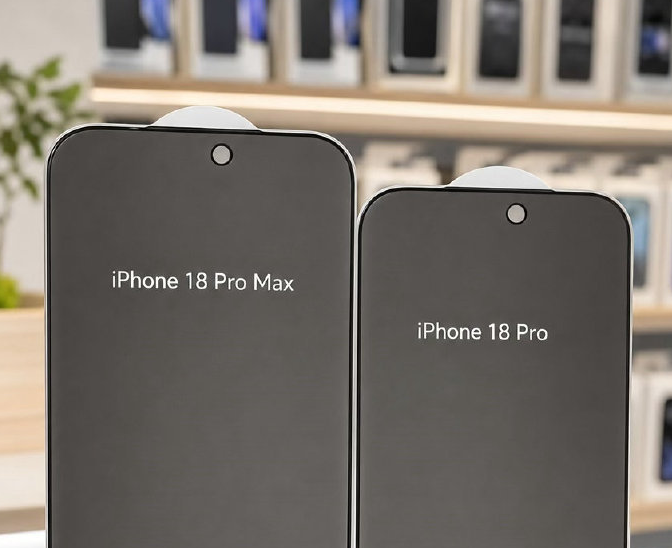
灵动岛缩减35% 史上颜值巅峰iPhone要来了?
随着iPhone 18 Pro和iPhone 18 Pro Max的贴膜在社交平台曝光,“史上颜值巅峰iPhone要来了”随之冲上热搜。贴膜曝光了新机的两项重要变化,分别是窄边框和缩减的灵动岛。
-
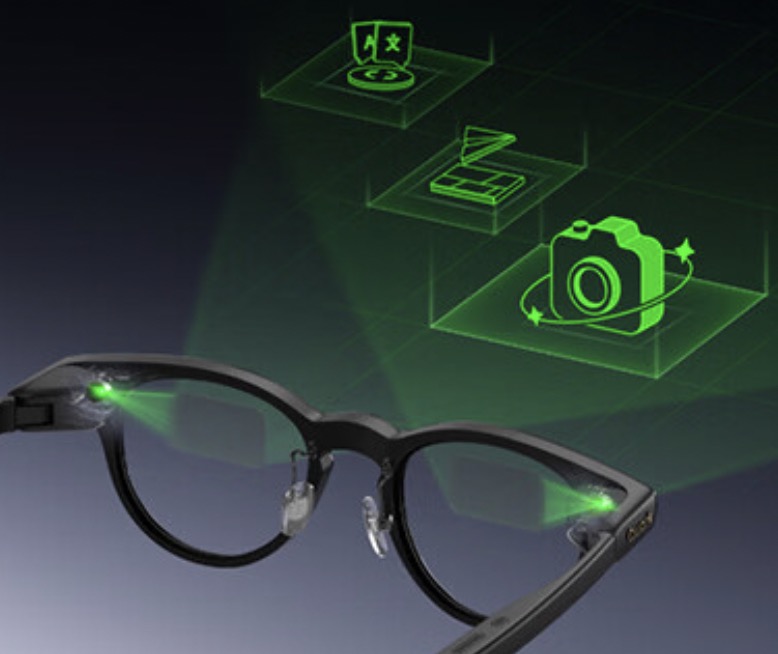
Q1线上智能眼镜市场总结:TOP5品牌占市场份额64.8%
Q1智能眼镜市场实现零售额5.6亿元,零售量28.2万台,平均单价1999.4元。各渠道表现差异显著。平台电商以36.9%的零售额份额领先。
-
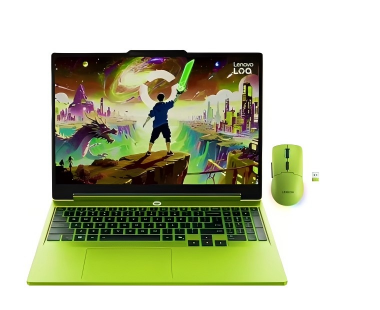
联想LOQ 15AHP11游戏本海外发布,疾风绿搭载50系显卡
PChome5月23日消息,联想近期在海外发布LOQ 15AHP11游戏本,整体采用疾风绿撞色外观搭配RTX 50系独显,还附赠同色系2.4G无线鼠标。主打高性价比,主要面向学生群体以及预算有限的游戏玩家。
-
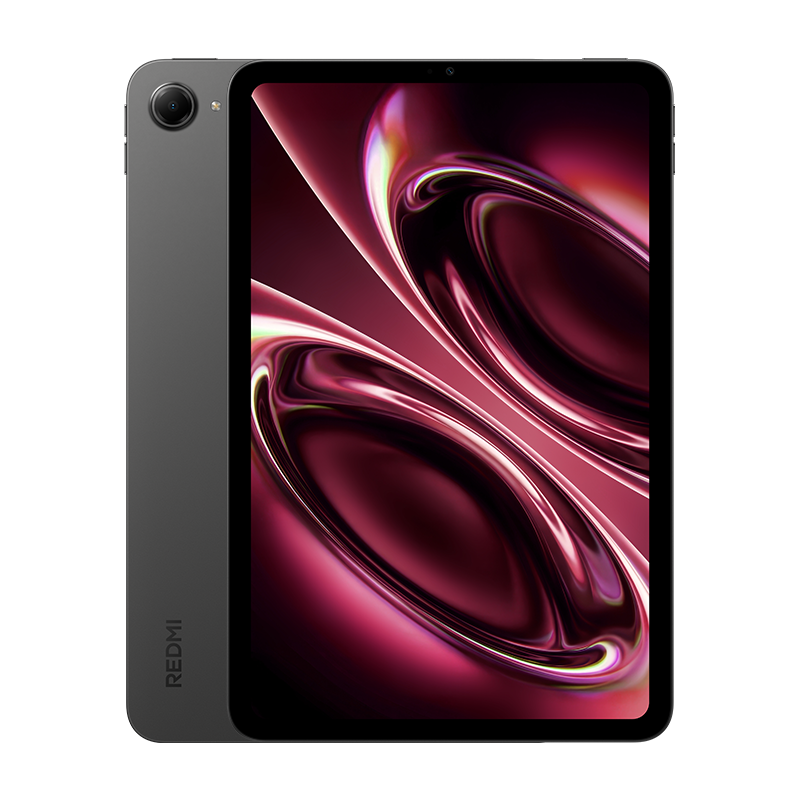
Q1消费级平板全渠道销量下降20% 销售以线上为主导
2026年第一季度,中国消费级智能平板市场的线上线下全渠道销量为601.2万台,同比下降19.9%。当前,中国智能平板市场的销售以线上渠道为主导。
-
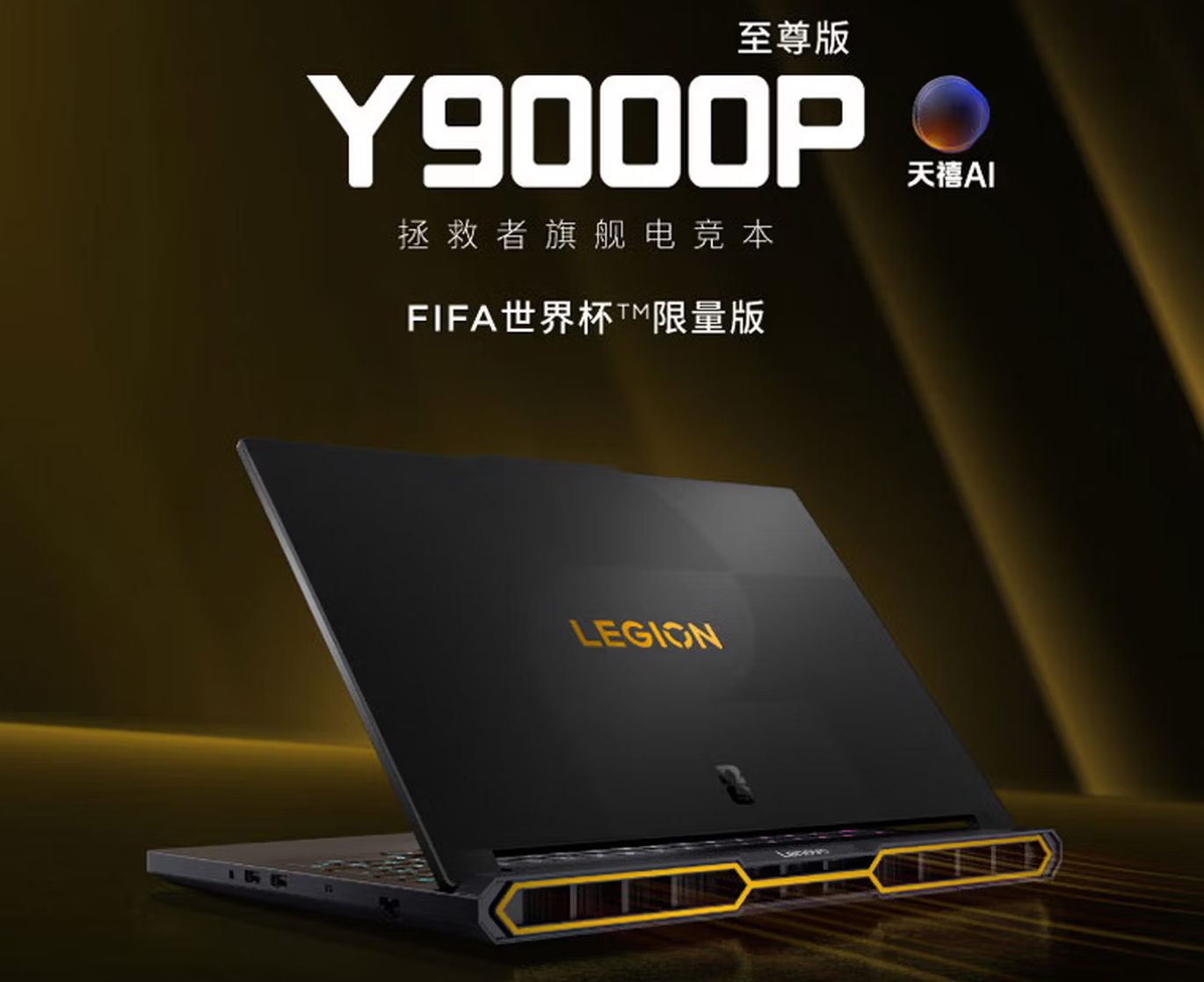
联想FIFA世界杯限量版拯救者Y9000P至尊版2026发布
PChome5月24日消息,联想FIFA世界杯限量版拯救者Y9000P至尊版2026,定档5月30日全网开售。官方定价42999元,叠加国家补贴后到手41499元,学生可享至高2000元优惠,目前联想官网、各大电商已开启预约。
-
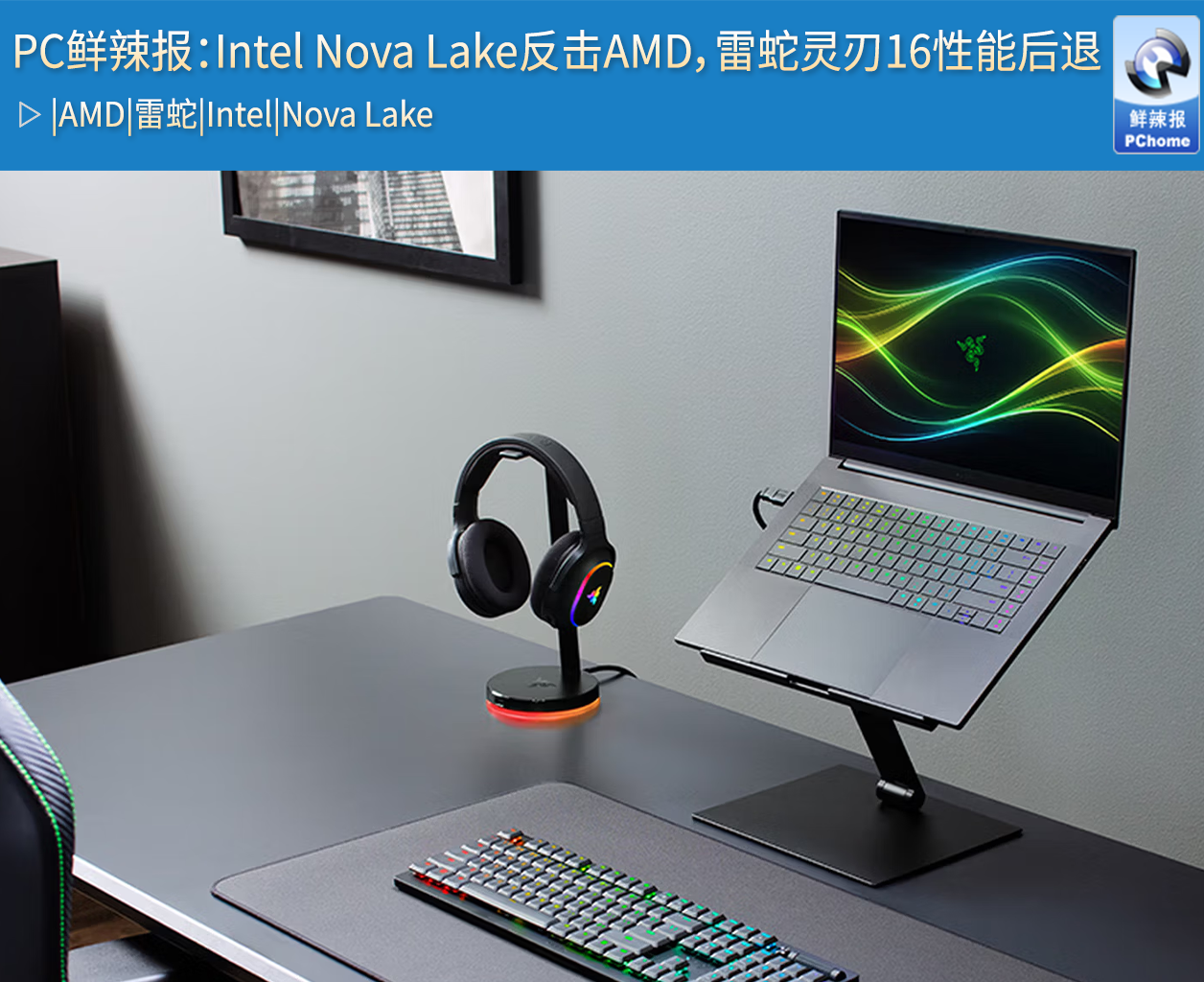
PC鲜辣报:Intel Nova Lake反击AMD,雷蛇灵刃16性能后退
上一周,PC硬件市场迎来三大重磅动态,intel新一代Nova Lake处理器工程样片正式出货;砺算科技推出中国首款全自研消费级显卡LX 7G100;售价高达4.5万元的雷蛇灵刃16 2026旗舰本被曝性能翻车,三大事件成为焦点。
-

苹果悄然上线GenAI子域名 AI成WWDC26核心看点
据外媒最新报道,苹果官网已悄然注册了全新的生成式人工智能子域名genai.apple.com,苹果已完成域名注册流程,但尚未配置最终的服务器指向,相关内容正在紧张筹备中。
-
华为发表半导体韬定律 2031年达到1.4纳米水平
在上海举办的2026国际电路与系统研讨会中,华为公司董事、半导体业务部总裁何庭波在题为《半导体新路径探索与实践》的主旨演讲中,正式向全球发布 "韬(τ)定律"。
最新快讯
热门文章
-
至尊狂战就是荣耀WIN游戏本 H9
-

英特尔Panther Lake揭秘
-
618购机必看!华硕四款AI轻薄本全覆盖 全人群精准入手指南
2026-05-29 -

真正的旗舰回归:Alienware外星人16 Area-51游戏本评测
2026-05-18 -
华硕灵耀16 Air骁龙版,轻薄本+移动办公的全能新高峰
2026-05-13 -

荣耀笔记本X16 Plus评测:长续航+超耐用,日常办公首选
2026-05-06 -
REDMI Book Pro 16评测:小米生态,大屏AI办公本优选
2026-04-25 -
旗舰游戏本新悍将 荣耀WIN游戏本 H9靠什么赢?
2026-04-23 -
小米开始认真做笔记本了!Xiaomi Book Pro 14评测
2026-03-20


网友评论